
Endoacustica offers, Exclusive Customer Service and free Training

CVX-PLUS · Independent pitch and formant control
Professional Telephone Voice Changer
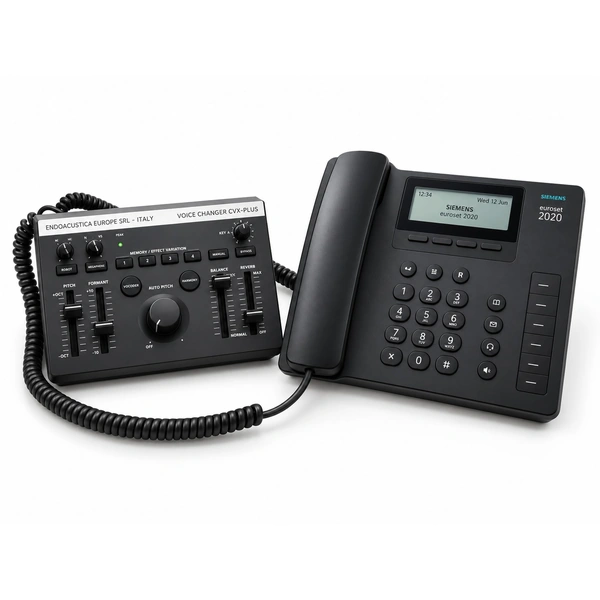
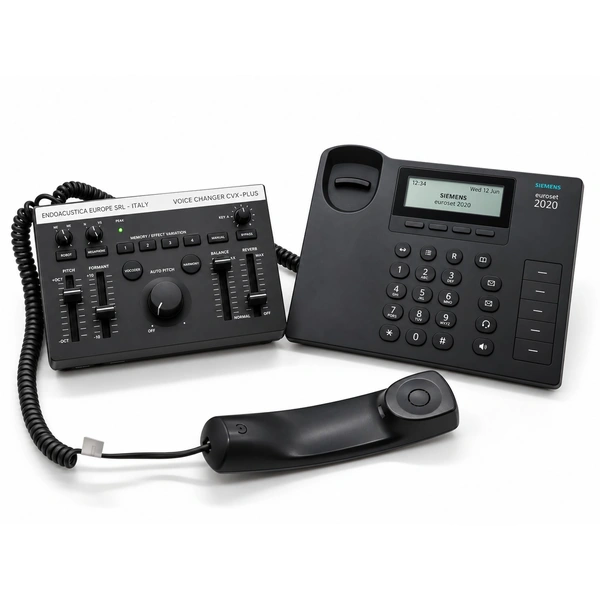
CVX-PLUS changes your voice during calls on a corded desk phone. Connected between the phone base and handset, it processes speech from the handset microphone before the other caller hears it. Independent pitch and formant controls provide continuous adjustment, so you can fine-tune your voice throughout the call.
- Independent pitch and formant controls.
- Continuously variable settings for a wide range of voice combinations.
- Adjust your voice without interrupting the call.
- Connects between a corded desk phone and its handset.
- Powered through the rear USB-A port or four AA batteries.
Product code: CVX-PLUS
€1,450
Buy OnlineTechnical consultation, training and support.
+39 080 302 6530
Control the voice your caller hears
Independent voice controls
Raise or lower your pitch and adjust vocal character separately. Combining both controls lets you tailor the result to your speaking voice.
Continuous adjustment
Fine-tune the settings as you speak, with a range of combinations rather than a fixed set of preset voices.
Keep using your handset
CVX-PLUS sits between the phone base and handset. You speak into the handset microphone and listen through its earpiece.
Full description
How CVX-PLUS changes your voice
CVX-PLUS processes audio from the handset microphone before it reaches the other caller. Pitch control makes your voice higher or lower, while formant control changes the resonances that shape its character.
Both controls are independent and continuously variable. You can combine their settings to create different vocal characteristics and fine-tune the result while you speak.
Connect between the phone and handset
Disconnect the handset from the phone base and connect CVX-PLUS between them. Once connected, use the phone as usual: speak into the handset microphone and listen through the earpiece.
Adjust your voice as you talk
The controls remain within reach throughout the call. Keep your chosen settings for the entire conversation or gradually change pitch, vocal character, or both.
The result depends on your natural voice and the settings you choose. Continuous adjustment lets you find the combination you want without switching between a fixed number of preset voices.
USB or battery power
Power CVX-PLUS through the USB-A port on the back or use four AA batteries. Battery operation lets you use the voice changer without a USB power connection during calls.
Technical specifications
| Model | CVX-PLUS |
|---|---|
| Device type | Hardware voice changer for corded desk phones |
| Voice controls | Independent pitch and formant/resonance adjustment |
| Voice adjustment | Continuous, linear adjustment for multiple voice combinations |
| Live adjustment | Settings can be changed during a call |
| Connection | Between the telephone base and handset |
| Voice input | Telephone handset microphone |
| USB power | Through the rear USB-A port |
| Battery power | Four AA batteries |
Applications
Private telephone conversations
Alter the sound of your voice during calls from a corded desk phone. Adjust pitch and vocal character independently while continuing to use your handset.
Radio call-in segments
Create vocal characters for telephone conversations used in radio programming. Continuous controls let you adjust the voice as the conversation unfolds.
Call centers and telephone operators
Add voice modification to a calling station equipped with a corded desk phone. Operators can choose a voice setting and keep it throughout the call.
Frequently asked questions
How do I connect CVX-PLUS to my phone?
Unplug the handset cable from the phone base and connect CVX-PLUS between the base and handset. You continue using the handset to speak and listen. The voice changer processes speech from the handset microphone before it reaches the other caller.
Can I adjust my voice during a call?
Yes. The controls provide continuous adjustment, letting you change your voice settings without interrupting the conversation.
What do pitch and formant controls change?
Pitch makes your voice sound higher or lower. Formant adjustment changes the resonances that give it its character. CVX-PLUS lets you adjust each independently.
Does it work with cell phones or cordless phones?
No. CVX-PLUS is designed for desk phones with a corded handset. For cell phones or PCs, see the CV-C mobile phone and PC voice changer.
How is CVX-PLUS powered?
Use the USB-A port on the back of the unit or install four AA batteries.
Technical support and training
Phone setup
Help connecting CVX-PLUS between your desk phone and its corded handset.
Voice adjustment
Training on independent pitch and formant controls and how to combine their settings.
Power and operation
Support for USB-A power, AA battery operation, and adjusting your voice during calls.
Explore the range
Related products
Explore two alternative voice changers and two separate devices for acoustic privacy. AJ-100 and OMNI-JAM do not change your voice over the phone.
 CVX-II
 Telephone Voice Changer
An alternative for voice modification on compatible telephone setups.
 CV-C
Mobile Phone and PC Voice Changer
A compact option for compatible mobile phone and computer connections.
 AJ-100
Portable Audio Jammer
Adjustable white noise for conversation privacy.
 OMNI-JAM
Omnidirectional Audio Jammer
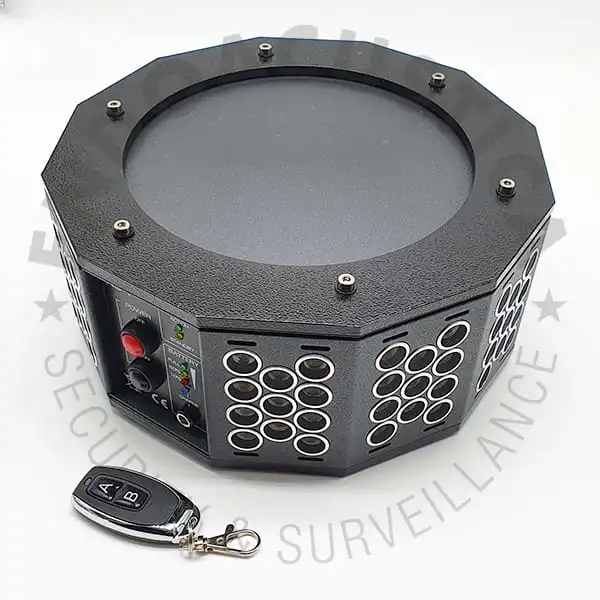
An audio alternative with 360-degree coverage.
Product consultation
Configure CVX-PLUS for your phone
Send us your telephone’s make and model, installation country and intended use for connection advice and pricing.
Call our team: +39 080 302 6530