
Endoacustica offers, Exclusive Customer Service and free Training


CELL-ANALYZER · Mobile Forensics
Mobile Forensic Data Extraction System
CELL-ANALYZER extracts and analyzes data from cell phones, tablets, and GPS units. Built for use in the lab or in the field, this standalone touchscreen system supports physical and logical extraction, file recovery, and reporting. Examiners can review call records, messages, contacts, media files, and location data from compatible devices.
- Physical and logical data extraction.
- Deleted-file recovery on compatible devices.
- Built-in search and hexadecimal analysis.
- Reports in HTML, XLS, CSV, and XML.
- Data cables and adapters for supported phones and GPS units.
Model: CELL-ANALYZER
Includes technical support, consultation, and training at no charge.
Extraction, Analysis, and Reporting
Acquire device data
Physical and logical extraction methods retrieve data from compatible phones, tablets, and GPS units. The touchscreen provides direct control of the extraction process.
Examine the results
Search records, review decoded files, and inspect raw data with hexadecimal tools. File recovery can reveal content that is no longer visible on the device.
Create a report
Export findings in HTML, XLS, CSV, or XML. A history of extraction and analysis tasks lets examiners review previous work by date and result.
Full Description
Extract and examine device data
CELL-ANALYZER reads data from connected mobile devices and organizes the results for analysis. Examiners can search decoded records, inspect raw data, and reconstruct files using one portable unit.
Two approaches to extraction
Logical extraction collects records and files through the device’s operating system. It retrieves accessible information such as contacts, text messages, and call history.
Physical extraction reads data from device memory for a more detailed examination. It may also capture remnants of deleted files that can be recovered during analysis.
Search, decode, and recover
Once data has been acquired, the software decodes supported records and provides search tools for locating information. Hexadecimal analysis allows examiners to inspect raw data and reconstruct files.
Recovering a deleted file depends on what remains in memory. Overwriting and encryption can make some records unrecoverable.
Records, location data, and reports
The system handles call logs, SMS, email, contacts, photos, audio, video, and supported app data. It can also retrieve the phone number and IMEI or ESN when those identifiers are present in the extracted data.
GPS records and photo locations
Saved positions and latitude/longitude coordinates can be extracted from compatible GPS devices. Deleted location records may also be recoverable.
Geotagged photos can be displayed on Google Maps using the coordinates stored in the image. These records add geographic context to the examination.
Reports and extraction history
Export reports in HTML, XLS, CSV, or XML for review and inclusion in case documentation. Reports can be saved or printed, and the activity history lets examiners revisit earlier extractions and analysis results.
Technical Specifications
| Model | CELL-ANALYZER |
|---|---|
| Form factor | Standalone portable unit |
| Display and controls | Touchscreen with graphical user interface |
| Devices | Compatible cell phones, smartphones, tablets, and GPS units |
| Extraction methods | Physical and logical data extraction; methods vary by model |
| Data types | Contacts, call logs, SMS, email, app data, photos, audio, and video |
| Device information | Phone number, IMEI, and ESN, when available |
| Data recovery | Deleted-file recovery, hidden-data recovery, and file reconstruction |
| PIN and password support | Access and password recovery on selected devices |
| Included connections | Data cables and device adapters |
| Search | Search extracted records and files |
|---|---|
| Hex analysis | Examination of raw data and file reconstruction |
| App data and backups | BBM records, Telegram chats, and LG backups; version-specific support |
| GPS records | Saved positions, latitude/longitude coordinates, and deleted records where recoverable |
| Photo location data | Display of geotagged images on Google Maps |
| Report formats | HTML, XLS, CSV, and XML |
| Activity history | Extraction and analysis tasks organized by date and result |
| Platforms | Selected Android and Apple devices; legacy BlackBerry, Nokia BB5, and Windows Mobile phones |
| Compatibility | Depends on device model, operating system, and CELL-ANALYZER software version |
Device Support
CELL-ANALYZER supports selected Android and Apple devices, along with legacy BlackBerry, Nokia BB5, and Windows Mobile phones. The extraction methods available depend on the device model, operating system, and software version.
App support is also version-specific. BBM, Telegram, and LG backup functions apply to the formats covered by the installed software. Include the device model and OS version when requesting a compatibility check.
Applications
Forensic lab work
Examiners can extract phone records and media, inspect raw data, and prepare reports for an investigation. Search and hexadecimal analysis support closer examination of individual records and files.
On-site examinations
The portable unit puts extraction controls and analysis tools on a touchscreen for use away from the lab. The supplied cables and adapters connect compatible phones, tablets, and GPS units.
Location evidence
Saved GPS coordinates and photo geotags can help an examiner assess where a device was used or an image was taken. Mapping these records adds location information to the examination.
Product Demonstration
Software screens and features may vary by version.
Frequently Asked Questions
Does CELL-ANALYZER support both physical and logical extraction?
Yes. Logical extraction collects files and records through the operating system. Physical extraction reads device memory and can provide additional data for analysis. The method available depends on the device model and its security protections.
Can it recover deleted text messages?
Deleted messages and files may be recoverable if usable data remains in memory. The result depends on the device, the extraction method, and whether the data has been overwritten or encrypted.
Which Android and Apple devices are supported?
Support is model-specific. The operating system and CELL-ANALYZER software version determine which extraction and analysis functions are available. Provide the exact model and OS version when requesting a compatibility check.
Can it extract data from a locked phone?
PIN and password functions are available for selected models. Access depends on the device model, OS version, and security protections. These functions must be checked for the specific phone being examined.
Does the GPS function track a device in real time?
No. It extracts saved positions and coordinates from GPS devices. It can also display photo geotags on Google Maps. Both functions are used to examine stored location records.
Can I export the findings?
Yes. Reports can be saved in HTML, XLS, CSV, and XML, or printed for review. The system also keeps a history of extraction and analysis tasks.
Technical Support and Training
Product consultation
Discuss the devices you need to examine and the records you need to retrieve. Our team can help confirm device support, software requirements, and the connection hardware needed.
Software training
Get help using the interface, reviewing extracted data, and producing reports. Training covers the functions available in the software supplied with the system.
Technical assistance
Support is available for troubleshooting and questions about system operation. Consultation, training, and technical assistance are provided at no charge.
Related Products
Government-use systems for cellular identification and radio monitoring.
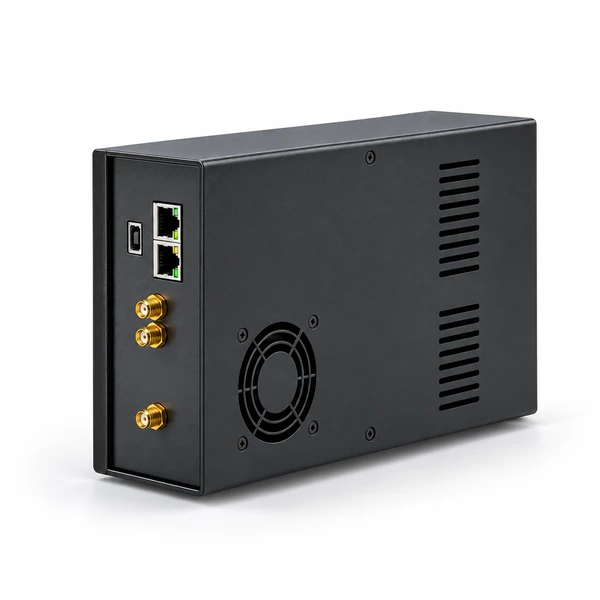


CELL-ANALYZER
Specifications, Compatibility, and Pricing
Request the technical datasheet, available manuals, and pricing. Include the devices you plan to examine so we can check compatibility.